Beta · public launch in progress
Operating system for business

Run all your client work in one connected place

CRM, tasks, documents, team chat and a client portal — connected, so nothing gets lost between email, chats and spreadsheets. Every request turns into action: owner, due date, history.

We're in beta — you help shape the product to fit how your team works.

Free during the beta

A direct line to the team. We'll show a demo set up for your workflow — and what you're missing goes onto the roadmap.
Built and run by an operating team that uses it every day.

Request → CRM

Join the beta or get a demo

Free during the beta

Tell us how to reach you. Your request goes straight into our CRM via the LadVen OS forms module.

We use the secure LadVen OS form and will contact you after we process your request.

The problem

It's usually not a lack of tools — it's what falls between them

01

Client work is scattered across email, chats and drives.

No one has the full picture; things slip, clients wait.

02

Clients keep chasing you for updates and files.

Without one shared place, every status takes another email thread.

03

You've outgrown spreadsheets and folders.

More rows, less clarity on who's doing what and what's next.

04

The team juggles separate tools

— CRM here, tasks there, files somewhere else — and pays the integration tax.

How it works

One connected system instead of a stack of separate tools

CRM, tasks, chat and calls, documents and client access — connected in one place. The point isn't one more screen; it's that a request reaches action without getting lost.

Incoming
emailTelegramwebsite chat
Core
CRMtasksdocumentsautomationaccess control
Result
ownerdue datenext stephistory

What's inside, and what changes

Inside

CRMtasks & projectsteam chat & callsemaildocuments & filessecure client portalautomation

What changes

  • less lost between channel and action
  • one context instead of tool-switching
  • clear ownership and deadlines
  • managers see the picture without manual reports
Already working

What you can do in LadVen OS today
01

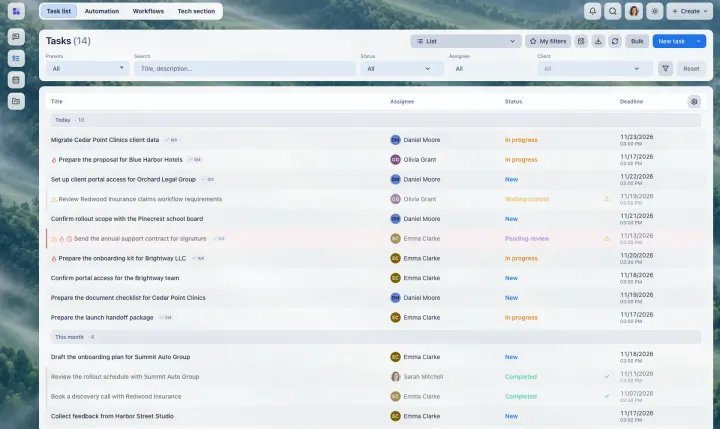
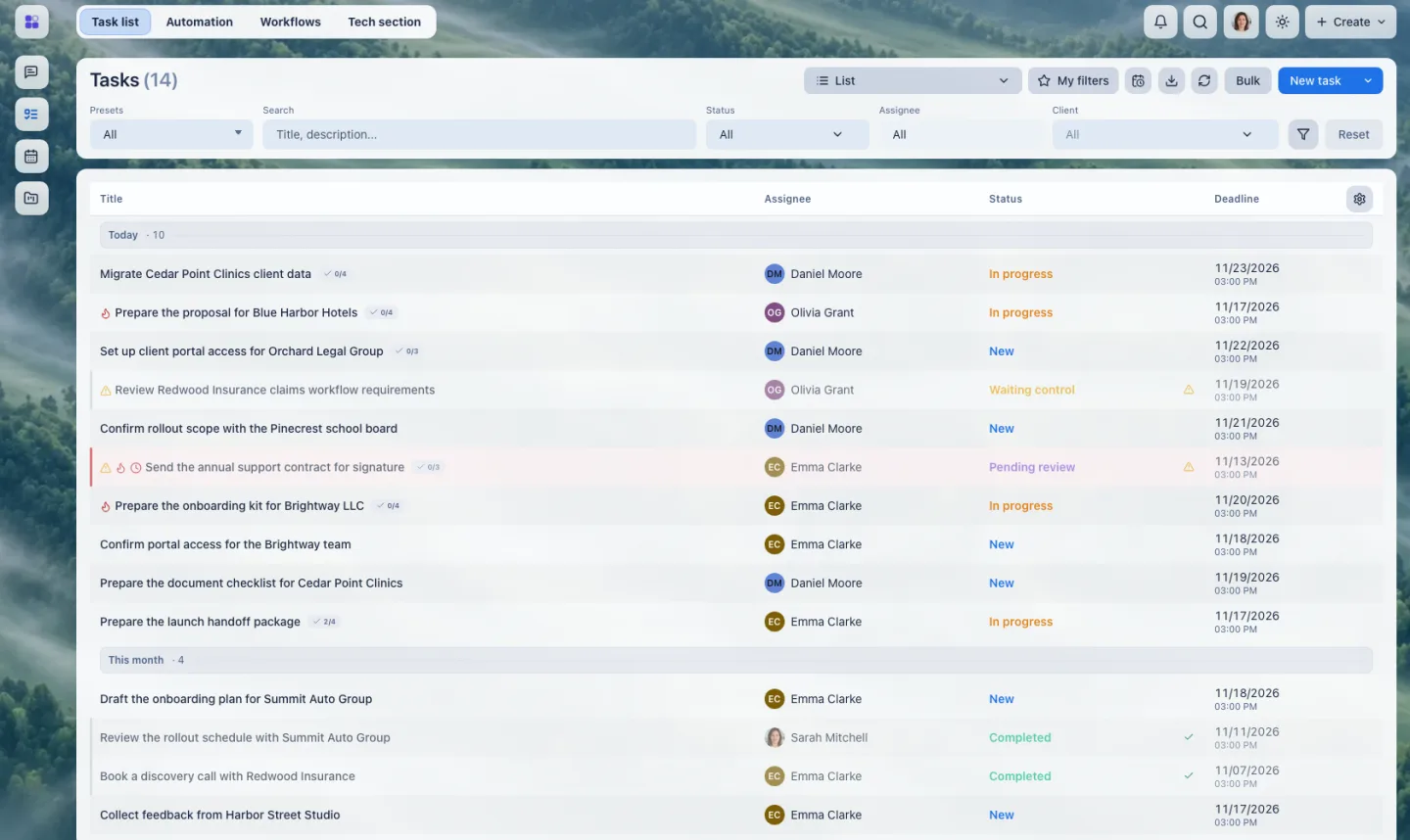
Tasks with an owner and a deadline

Every task has an owner, a deadline, a status, a checklist and files. A table, Kanban and plan views show who is doing what.
02

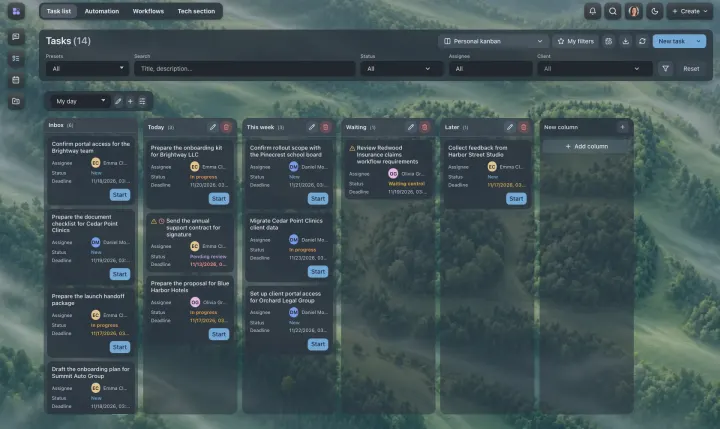
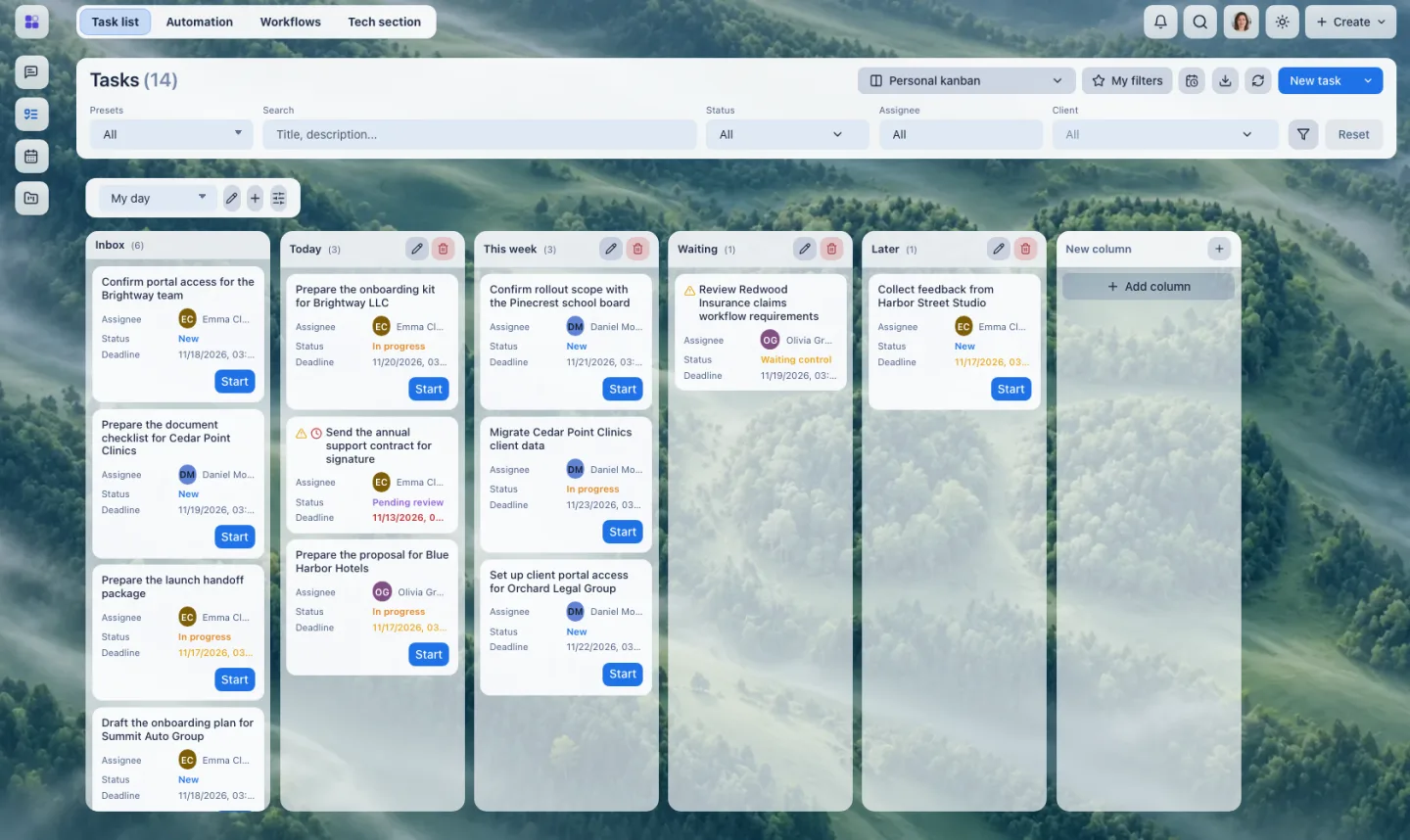
Plan your working day

Arrange tasks on a personal board — Today, This week, Waiting, Later — and see the whole day at a glance. A manager plans their own day the same way.

03

Task templates for repeatable work

Turn a standard job into a template: the description, checklist and participants are filled in for you, so a routine task starts in a click.
04

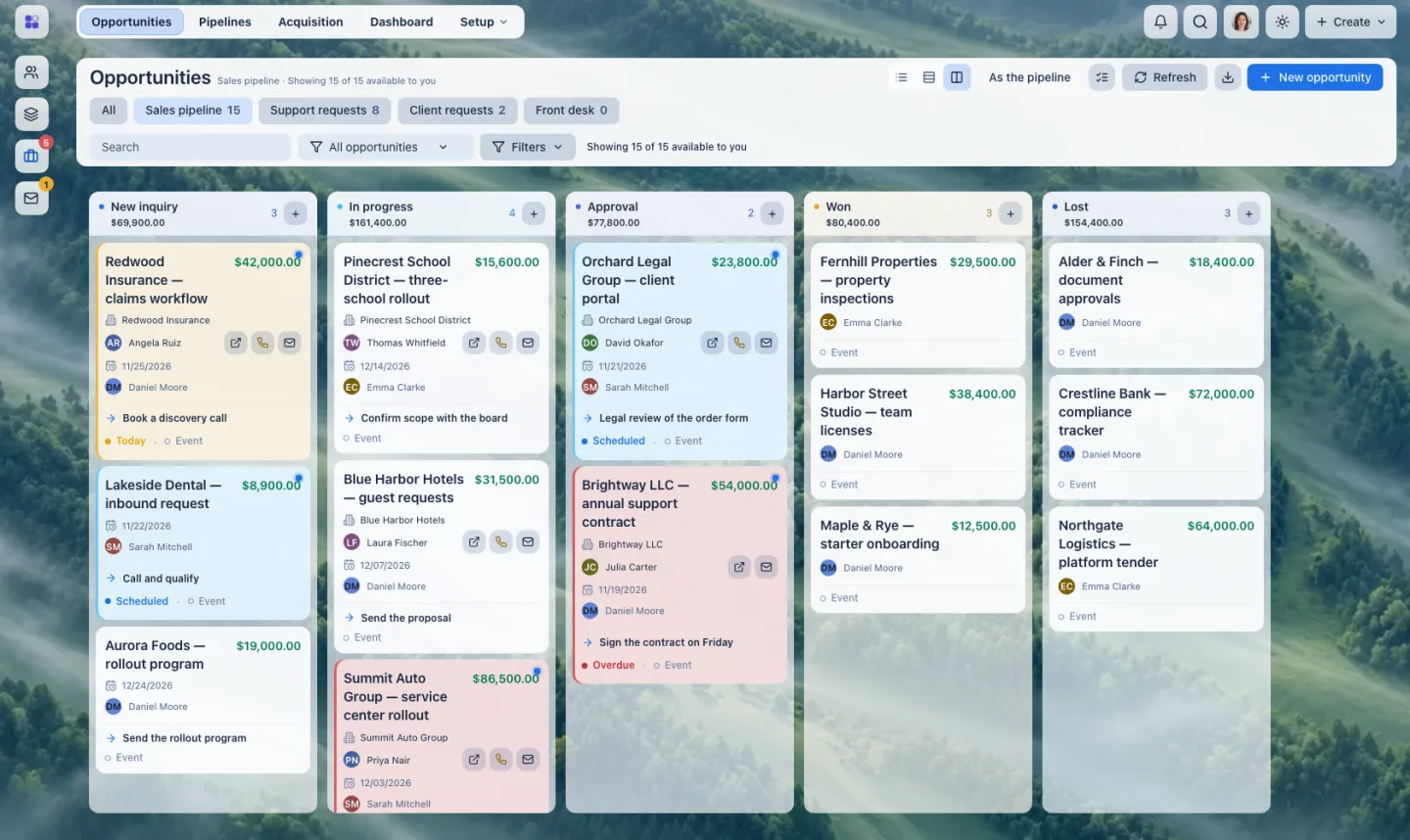
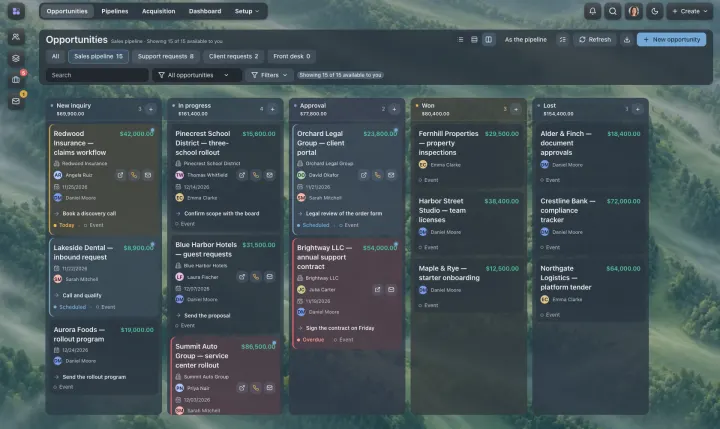
A sales pipeline that moves

Deals go through stages with owners, next steps and amounts. Won and lost deals stay in the history.
05

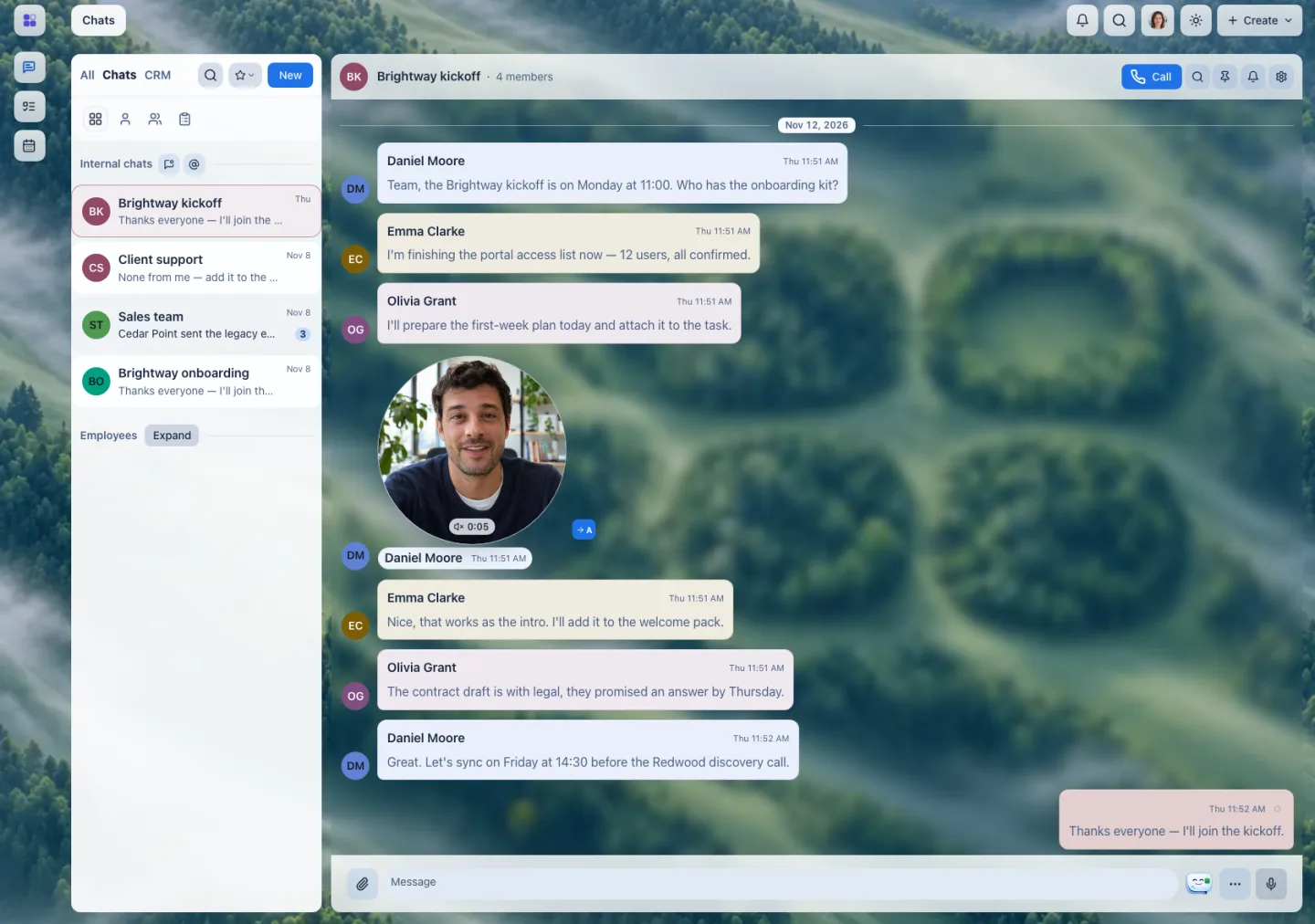
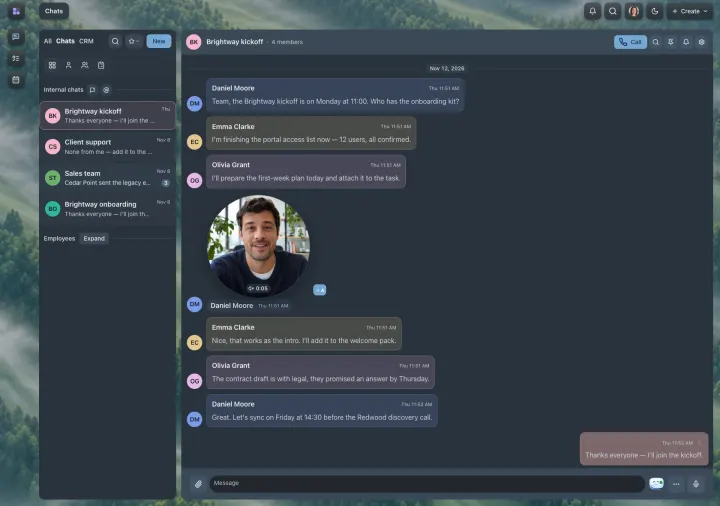
Team chats, video circles and calls

Discuss work in team chats, send a round video message, start a call from the chat — it is saved as a card in the thread. Call regular phone numbers over SIP telephony, and invite a client or partner to a call with a link — they join as a guest.

06

Email next to the deal

Client emails are linked to the client, the contact and the deal, so the whole history sits in one place.

07

A portal for your clients

Clients sign in to their own space, send requests, follow the answers and talk to your team there.
08

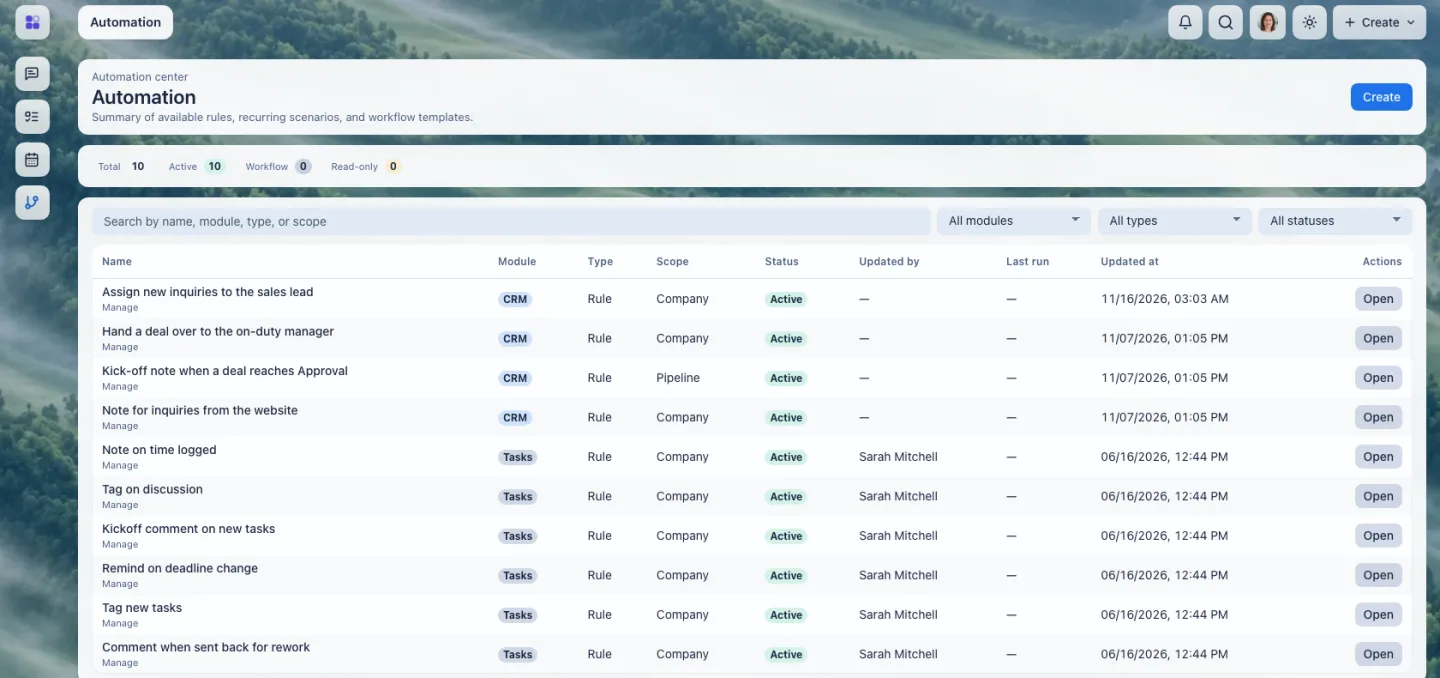
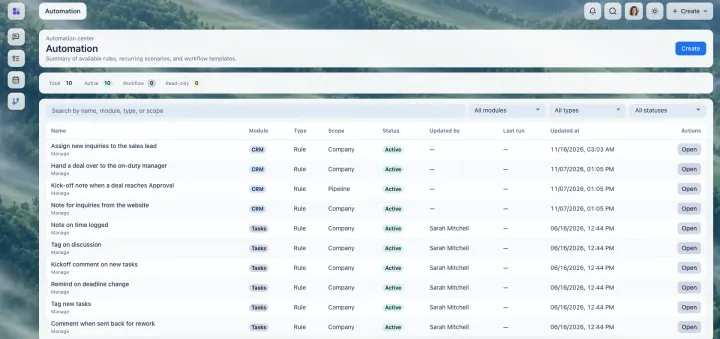
Automation in tasks and in the CRM

Rules assign owners, leave notes and react when a task or a deal changes — in tasks and in the CRM — and recurring tasks run on their own.
09

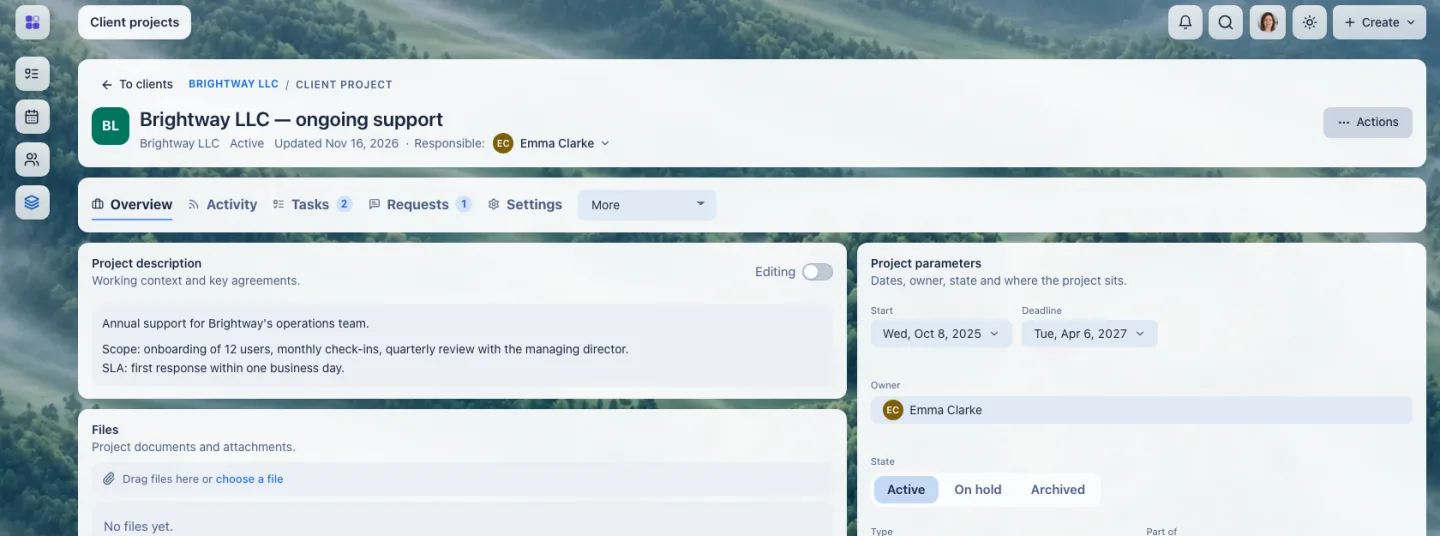
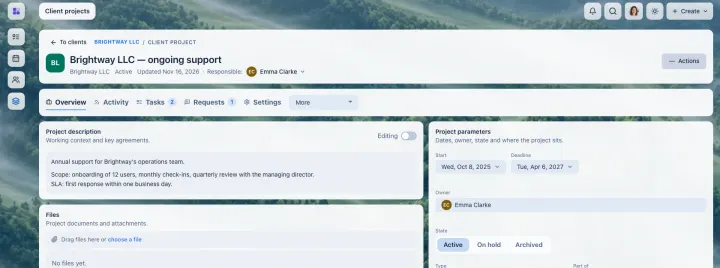
One page per client project

Description, owner, status, a checklist, linked tasks and requests — everything about a client's project together.
Operating system for business

A secure portal for your clients

Give your clients one secure place to see their documents, leave comments, track approvals and follow progress — connected to the same CRM and tasks your team already uses. No more version chaos in email threads.

Early access

What you get and what we ask

You get

  • early access + help moving your processes in
  • a direct line to the team
  • your priorities on the roadmap
  • early-adopter terms

We ask

  • actually use it on your real work
  • honest feedback — what works and what's missing

Honest: we're preparing public launch; some capabilities are still maturing — that's why we take a limited group, to help each one and listen.

Who it's for

Set up for the way your team already works:

client portal for agencies / accountants / law firmsdocument approval workflowCRM with tasks & documents

See scenarios in the documentation